Favicon Generator Online — Free
Generate all favicon sizes from a single image — ICO, PNG, Apple Touch Icon, and Android icons.
Drag & drop your image here, or browse files
PNG, JPG, WebP, GIF, BMP · up to 50 MB
Use all tools together in the full image editor
How to Favicon Generator
No sign-up, no installation. Just upload, edit, and download.
- Step 1
Upload your image
Drag & drop or browse to select any PNG, JPG, or WebP image.
- Step 2
Apply the tool
Adjust the settings and see the result in real-time.
- Step 3
Download for free
Export as PNG, JPG, or WebP and save it to your device.
Why use our Favicon Generator tool?
The Favicon Generator creates all the icon files you need for your website from a single source image. Upload any image and get favicon.ico, 16x16, 32x32, 48x48, Apple Touch Icon (180x180), and Android Chrome icons (192x192, 512x512) — all packaged in a downloadable ZIP. Includes the HTML snippet you need to add to your site.
- 1Generate all standard favicon sizes
- 2Includes favicon.ico (multi-size)
- 3Apple Touch Icon (180x180)
- 4Android Chrome icons (192, 512)
- 5Download as ZIP with HTML snippet
- 6Optional padding and background
Who uses Favicon Generator?
From individual creators to professional teams — here's how people use this tool.
Create website favicons from logos
Generate all required icon sizes
App icon creation for PWAs
Prepare icons for browser tabs
What you can do with Favicon Generator
Website Launch
Generate all favicon sizes from your logo for a new website launch.
PWA Icons
Create Android Chrome icons (192x192, 512x512) for Progressive Web Apps.
Browser Tab Icon
Create a crisp 32x32 favicon for browser tab identification.
See the difference
512x512px logo source image → Complete favicon package: ICO, PNG (16-512px), Apple Touch Icon

512x512px logo source image
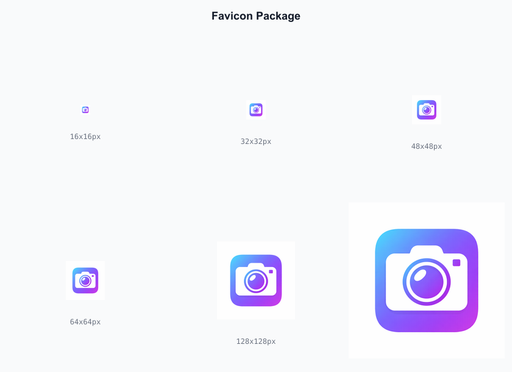
Complete favicon package: ICO, PNG (16-512px), Apple Touch Icon
Tips for best results
Use a simple, bold icon as source — fine details get lost at small favicon sizes.
Start with a square image at least 512x512px for best results across all sizes.
Download the ZIP and copy the HTML snippet into your site's head section.
Runs in Your Browser
All processing happens locally on your device. Your images never leave your computer.
No Account Required
Start editing immediately. No sign-up, no email, no tracking. Just open and go.
Lightning Fast
Powered by your device's hardware. No waiting for server responses or queues.
Privacy First
Zero data collection. Your images stay on your device — nothing is uploaded anywhere.
Frequently Asked Questions
Common questions about favicon generator
The generator creates: favicon.ico (16+32), favicon-16x16.png, favicon-32x32.png, favicon-48x48.png, apple-touch-icon.png (180x180), android-chrome-192x192.png, and android-chrome-512x512.png.
Use a square image at least 512x512 pixels. Simple logos and icons work best. The generator will center-crop non-square images.
The ZIP includes a favicon-html.txt file with the HTML link tags. Copy these into the <head> section of your HTML.
Learn More
Guides and tutorials related to favicon generator
How to Create a Favicon from Any Image — Complete Guide
Create a favicon for your website from any image. Learn the required sizes, formats, and how to add favicons to your HTML — complete guide with free tool.
How to Resize Images Online — Free Step-by-Step Guide
Learn how to resize images for social media, websites, and email. Free browser-based tool with no upload required.
How to Compress Images Without Losing Quality — Complete Guide
Reduce image file sizes by up to 90% while maintaining visual quality. Free online compression tool.