Meme Generator Online — Free
Create classic memes with top and bottom text, Impact font, and stroke outlines.
Drag & drop your image here, or browse files
PNG, JPG, WebP, GIF, BMP · up to 50 MB
Use all tools together in the full image editor
How to Meme Generator
No sign-up, no installation. Just upload, edit, and download.
- Step 1
Upload your image
Drag & drop or browse to select any PNG, JPG, or WebP image.
- Step 2
Apply the tool
Adjust the settings and see the result in real-time.
- Step 3
Download for free
Export as PNG, JPG, or WebP and save it to your device.
Why use our Meme Generator tool?
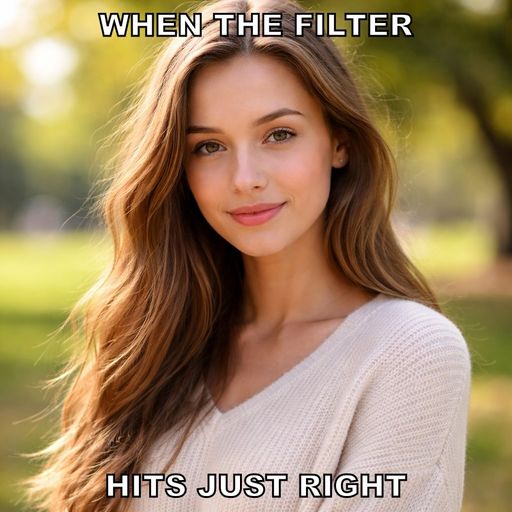
The Meme Generator lets you add classic meme-style text to any image. Place bold Impact-font text at the top and bottom with customizable size and optional black stroke outlines. Perfect for social media content, group chats, and internet culture. Everything renders in your browser — upload your image, add text, and download the finished meme as PNG.
- 1Classic Impact font meme text
- 2Top and bottom text placement
- 3Adjustable font size
- 4Black stroke outline toggle
- 5Real-time preview
- 6Export as PNG
Who uses Meme Generator?
From individual creators to professional teams — here's how people use this tool.
Create memes for social media
Make reaction images for chats
Design humorous marketing content
Create engaging community posts
What you can do with Meme Generator
Social Media Content
Create trending meme formats with Impact font text for viral social posts.
Team Communication
Make custom reaction images for Slack, Discord, or team group chats.
Marketing Content
Create humorous branded memes for engaging social media marketing.
See the difference
Plain photo template image → Classic meme with bold Impact text at top and bottom

Tips for best results
Keep meme text short and punchy — 3-5 words per line works best.
Enable stroke outline for text readability on any background.
Leave either top or bottom text empty for single-caption memes.
Runs in Your Browser
All processing happens locally on your device. Your images never leave your computer.
No Account Required
Start editing immediately. No sign-up, no email, no tracking. Just open and go.
Lightning Fast
Powered by your device's hardware. No waiting for server responses or queues.
Privacy First
Zero data collection. Your images stay on your device — nothing is uploaded anywhere.
Frequently Asked Questions
Common questions about meme generator
The tool uses Impact font (with Arial Bold as fallback), which is the classic meme font used across the internet.
Text is placed in the classic top/bottom meme format. You can leave either field empty to use only top or bottom text.
No hard limit. Long text is automatically constrained to the image width. For best results, keep meme text short and punchy.
Learn More
Guides and tutorials related to meme generator
How to Resize Images Online — Free Step-by-Step Guide
Learn how to resize images for social media, websites, and email. Free browser-based tool with no upload required.
How to Add Watermarks to Your Images — Protect Your Photos
Learn how to add text and image watermarks to your photos. Protect your work from unauthorized use while keeping images presentable for clients and portfolios.
How to Resize Images for Instagram — All Sizes & Formats (2026)
Complete guide to Instagram image sizes in 2026 — posts, stories, reels, profile pics, and carousels. Resize your images perfectly with our free tool.